
Building Social Desk: One Idea, Copy for Every Platform
From one post idea to separate platform drafts, branded graphics and a reviewed delivery workflow.
I wanted a place to turn a post idea into copy that fits each platform, make the visuals, and review everything before it goes out. The idea was to bring my own copy and have AI help adapt it to each platform, or start with a brain dump and work it into a post.
That became Social Desk: a self-hosted workspace for drafting, creating assets, reviewing copies and choosing how to deliver them. It’s running now, with the publishing workflow still being refined.
Start with the idea
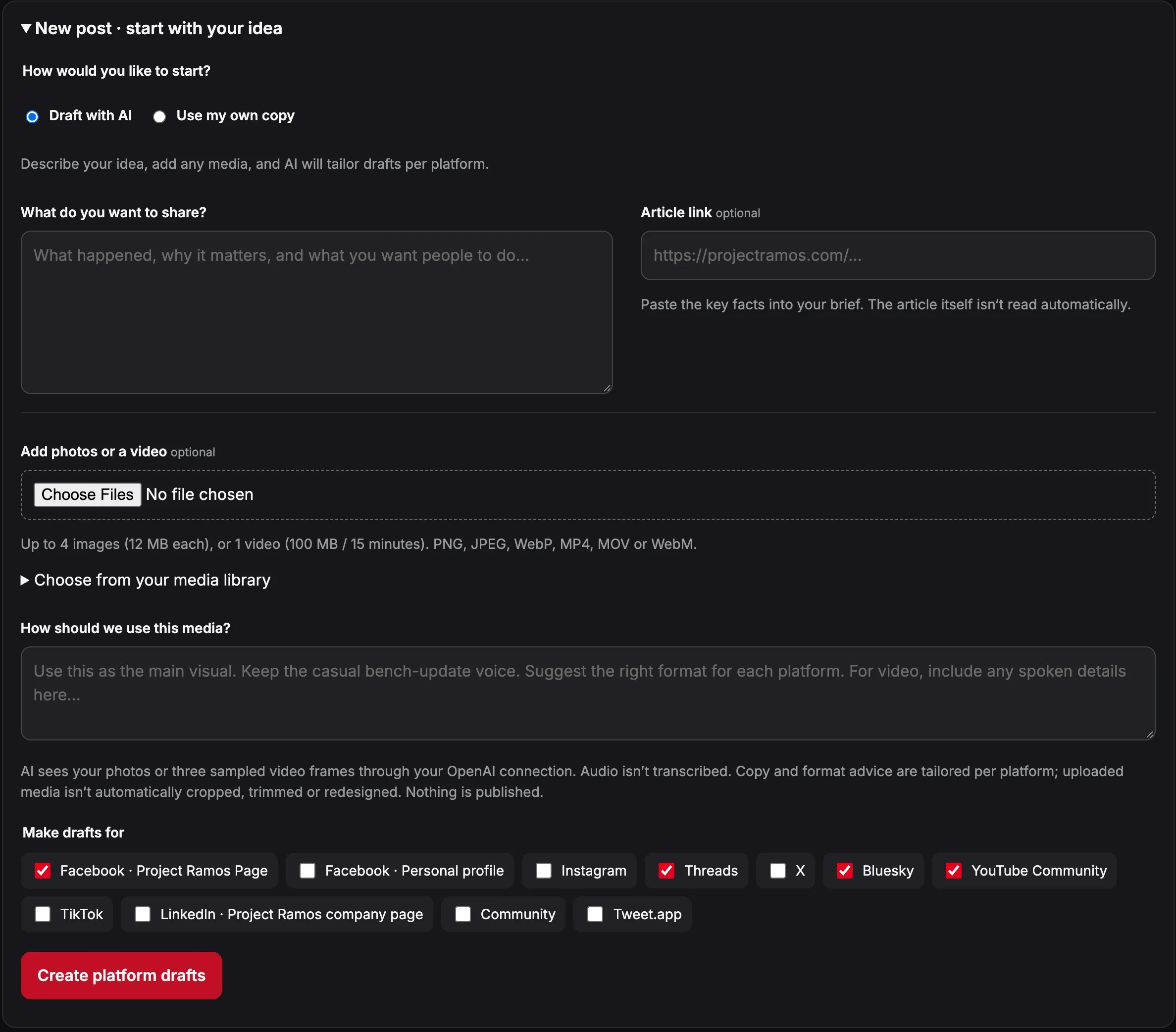
I can write out what I want to say, then ask the AI assistant to shape it for each platform. A longer Facebook post might need a tighter version for X or Bluesky. The goal is to keep my point and voice while adjusting the length and structure to fit.
Or I can brain dump an idea: what happened, why it matters, and the points I want to get across. AI helps turn those notes into platform-specific drafts so I can get a post moving without overthinking the copy.
Each draft has its own conversation for changes, and I review the result before approving it. Photos, a video and an article link can accompany the idea. If I want my wording kept exactly as written, there’s also Use my own copy.
Video uploads can provide visual context through sampled frames. They don’t automatically become edited clips, and audio isn’t transcribed.
Keep the assets on brand
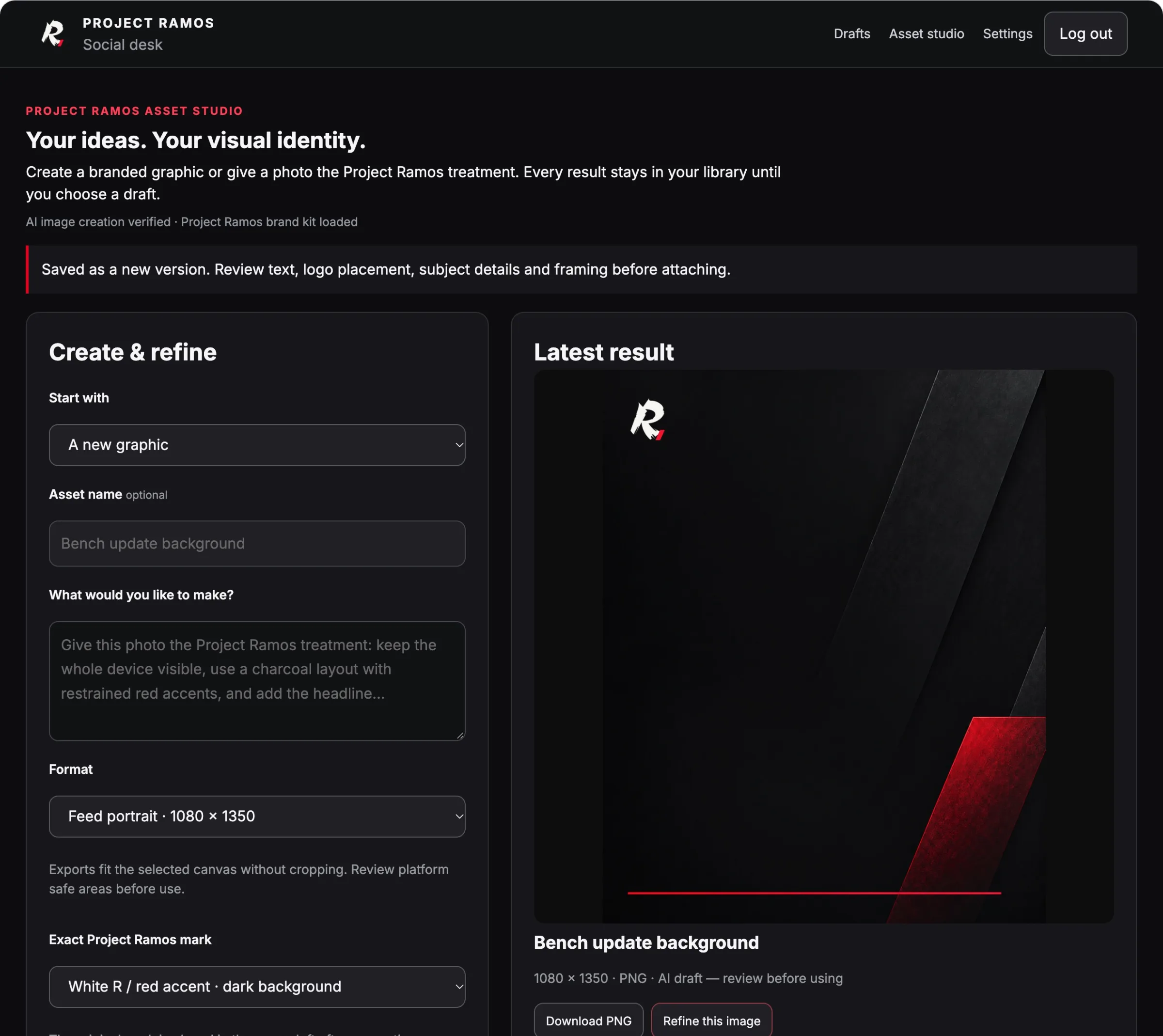
The asset studio brings Project Ramos colors, voice, reference images and the R with the red accent into the workflow. It supports branded graphics and photo-refinement requests, with separate versions to review before attaching an image to a draft.
Canva is connected too, with design conversations and automatic logo placement. The branding comes from a maintained kit; it doesn’t magically remember every image or conversation. Text, framing and product details still need a look before anything is used.
The browser was the tricky part
The first approach used a hosted browser and a mirrored preview inside the desk. That proved clunky: pages were cropped, the mirror was unreliable, and some services challenged the login environment.
I moved toward a normal Microsoft Edge session on the Mac, using the accounts already signed in there. The desk can prepare native composers and submit supported, approved posts through that connection. Postiz remains an optional API route.
Approval applies to the saved copy, media and destination. Changes clear it. If a publishing attempt has an uncertain result, the system stops rather than automatically trying again and risking a duplicate.
Automated or manual, keep the record
The latest addition is Mark as posted. If I finish a post myself, I can record it, add its link and move the draft into history. That keeps the same workspace useful whether I’m posting manually or using automation.
Social Desk is launched and in use, but that isn’t the same as every publishing path being proven. The next work is checking real deliveries per platform and improving recovery when browser sessions disconnect or logins expire.