
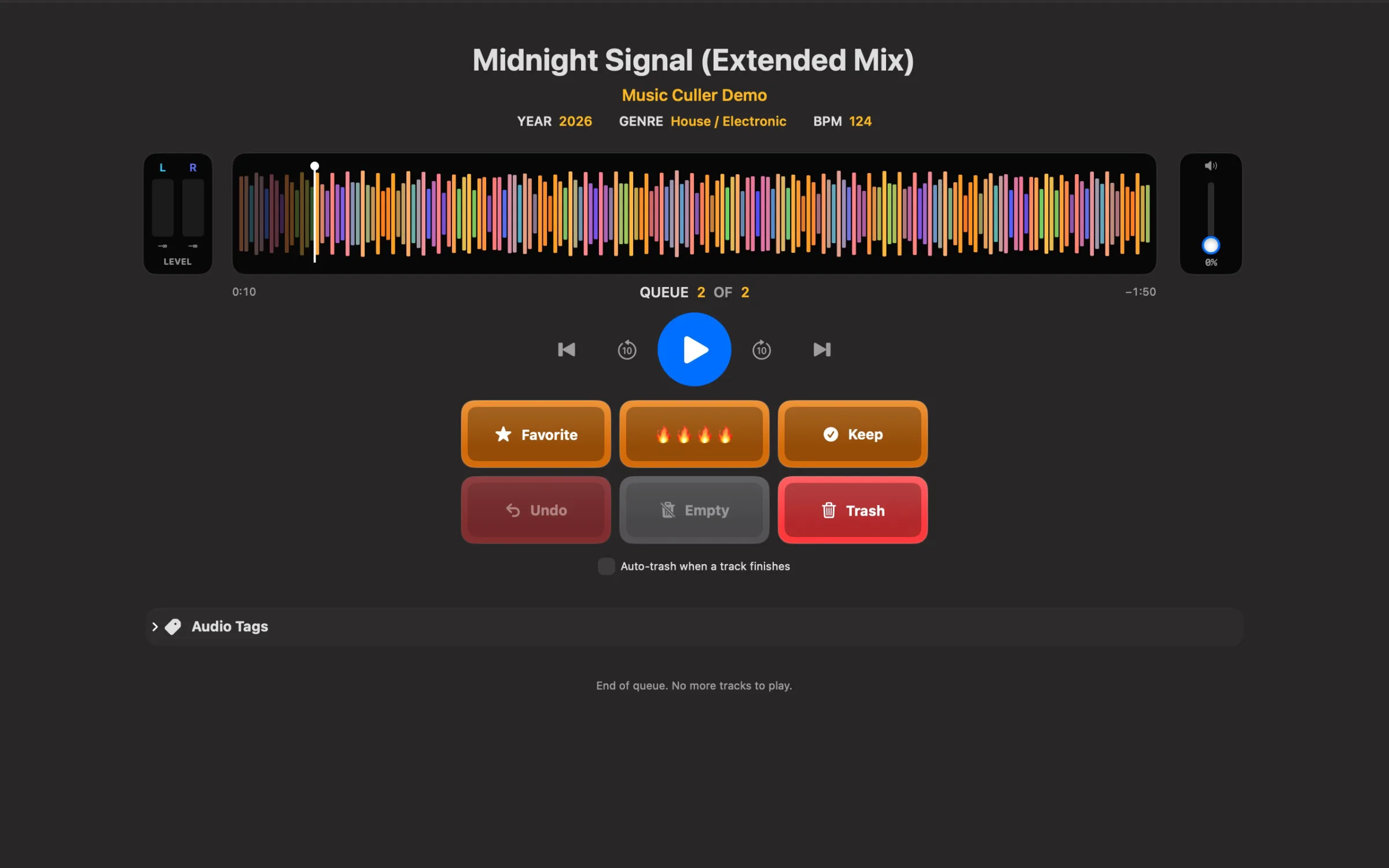
Music Culler helps you work through your own audio collection, hear the parts that matter, and move the tracks you want into folders you choose.
Get Music Culler on the App Store
Built for the listening pass
A frequency-colored waveform lets you jump through a track. Favorite copies it, Keep moves it, and Top Pick marks your standouts with four fire emojis in MP3 comments before moving them to a separate folder. Undo supports reversing moves and Trash actions until the relevant files are permanently emptied.
Your files, your folders
Play MP3, WAV, AIFF, AAC, and M4A files with supported audio encodings. Edit MP3 year, genre, BPM, and comments. Local, external, and supported network folders can be selected through the system file picker; NAS access depends on the connection and file permissions. Protected Apple Music subscription downloads are not supported.
Mac, iPhone, and iPad
Available now on the App Store. The US price is $19.99 for one purchase covering Mac, iPhone, and iPad, with no subscription. Regional prices vary. Each device uses its own selected folders; settings and Undo history do not automatically synchronize.
Free Stream Deck companion
Optional Stream Deck integration is included at no extra charge. Use buttons and compatible dials to control the Music Culler Mac app, with waveform and meter views to keep the listening pass moving. Elgato Stream Deck software and Stream Deck hardware or Stream Deck Mobile are separate requirements.
The plugin connects automatically to Music Culler on the same Mac. Stream Deck Mobile works through that Mac’s Elgato Stream Deck software; it does not control the standalone Music Culler iPhone/iPad app.
Download the free Stream Deck plugin — version 1.6.109 (ZIP)
Stream Deck setup and troubleshooting
Help with Music Culler
Email support@projectramos.com for help. Back up your collection and test with disposable copies before moving files or changing tags.